
Audit-Ready Compliance Reporting
From the field. When the superintendent calls, the board meets tonight, or a state reporting deadline is days away, you shouldn’t be stitching together downloads. Attendly prepares your attendance, enrollment, and Attendance Recovery reporting from the records your teams already keep, with the student detail and documentation behind every number, so you can submit with confidence and stand behind it in an audit.
 Attendly
 Report ready, with exceptions.
Ready for your team to review and submit.
2 teacher attestations still needed.
Every total opens to the students behind it.
The pain
Reporting shouldn’t mean rebuilding work that already happened.
District teams need answers: who attended, who registered, what was recovered, and what still needs action. State reporting and audits need the same answers, with proof. But the evidence often lives somewhere else, in paper signatures, teacher attestations, attendance records, or separate files, so every deadline means pulling it all back together by hand.
How it works
Get the answer, and the record behind it.
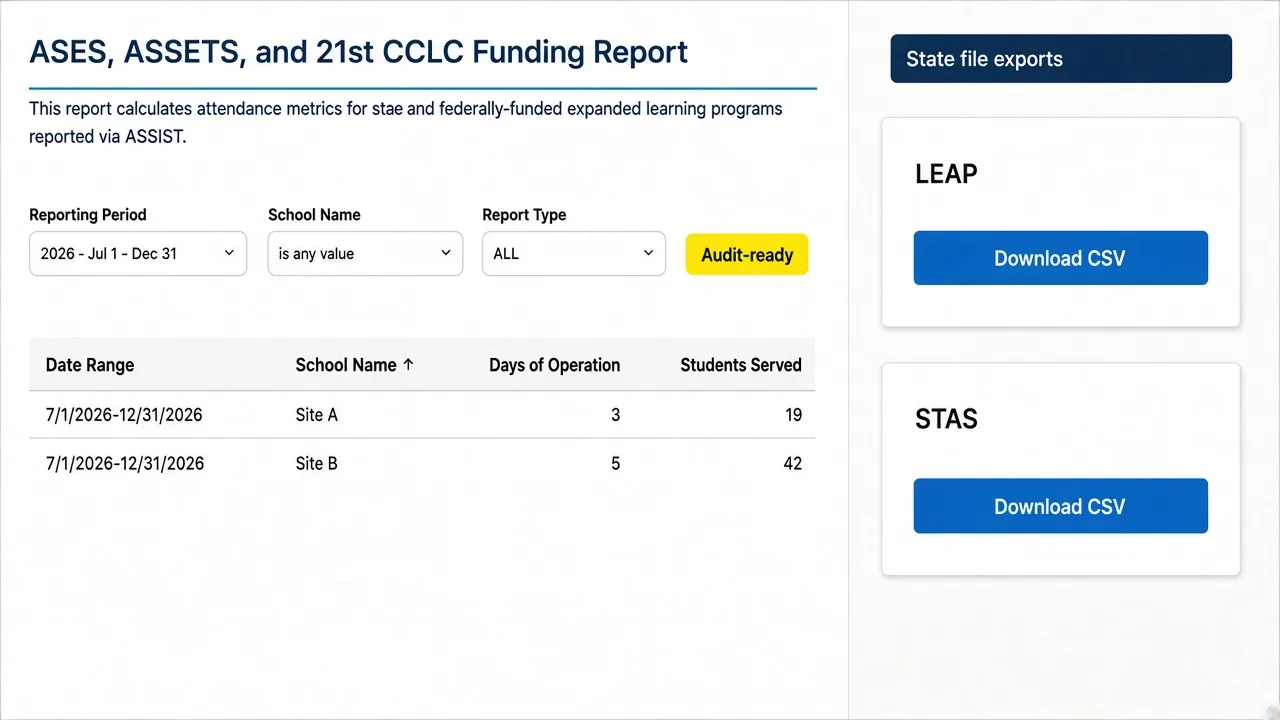
ASES, ASSETS and 21st CCLC funding report
Reporting period Jul 1 – Dec 31, 2026
| Date range | School | Days of operation | Students served |
|---|---|---|---|
| 7/1–12/31/2026 | Riverview | 3 | 19 |
| 7/1–12/31/2026 | Oak Grove | 5 | 42 |
ASES, ASSETS and 21st CCLC funding report
Audit-ready- Riverview
- Oak Grove
- State file exports · CALPADSPrepare files
- LEAPDownload CSV
- STASDownload CSV
- 01
Prepare state reporting
Attendly prepares attendance and enrollment data for state reporting, such as ASSIST, CALPADS, and LEAP, from the records your teams already keep. Your district reviews and submits.
- 02
Use reports built for the question
Named reports for attendance, enrollment, waitlists, Attendance Recovery, meals, and other workflows.
- 03
See summary and student detail
Move from district or program totals to the student records behind them.
- 04
Keep evidence with the record
Signatures, attestations, meal records, and corrections stay connected to the work they document.
- 05
See what needs action
Reports surface exceptions, like missing attestations, not just completed work.
- 06
Export when you need to
Use CSV or Excel when the next step needs a working file.
Behind the build
Why every number comes with its proof.
-
The usual way: State reporting files rebuilt by hand every cycle.
How Attendly does it: Attendly prepares the data from records your teams already keep. Your district reviews and submits.
-
The usual way: A total with no trail behind it.
How Attendly does it: Move from any total to the students and records behind it.
-
The usual way: Signatures and attestations stored in separate folders.
How Attendly does it: Evidence stays connected to the work it documents.
-
The usual way: Reports show only what got done.
How Attendly does it: Reports surface exceptions, like missing attestations, that still need action.
-
The usual way: Dozens of downloads stitched together.
How Attendly does it: Named reports for each question, with export when you need it.
Designed with our partners
Shaped with BGC at Beaumont, where reporting went from a stack of downloads to a few minutes of work.
“Instead of having to download 40 reports to get that information, it now takes me about two minutes.”
Send me this
Email yourself a link to Audit-Ready Compliance Reporting, to read later or bring to your district.