
Flexible Registration & Family Enrollment
From the field. Every family deserves equal access to registration. Parents can sign up on their own from their phone, or staff can register them in person or over the phone with Assisted Registration, capturing the parent’s digital signature before the call ends. Every record is audit-ready, with signatures and district policy acknowledgments on file.
 Attendly
 Registered. Signed by the parent.
4:12 PM · Policies acknowledged in Spanish
The pain
Registration is the first step to serving students. It has to work for every family.
Some families register on their own. Others need someone to walk them through it, in person or over the phone. Without the right tools, staff fall back on paper forms, follow-up calls, and chasing signatures for days, and any record missing the parent’s review, policy acknowledgments, or signature won’t hold up in an audit.
How it works
Families register their way, in their language. Every record is audit-ready.
Register for After-School Explorers
Riverview Elementary · 2026–27
Maya Patel · Grade 4
Arjun Patel · Grade 1
I have read the program handbook
Medical treatment authorization
Sign and submitRegister for After-School Explorers
Synced from district SISMaya Patel · Grade 4
Arjun Patel · Grade 1
Sign and submit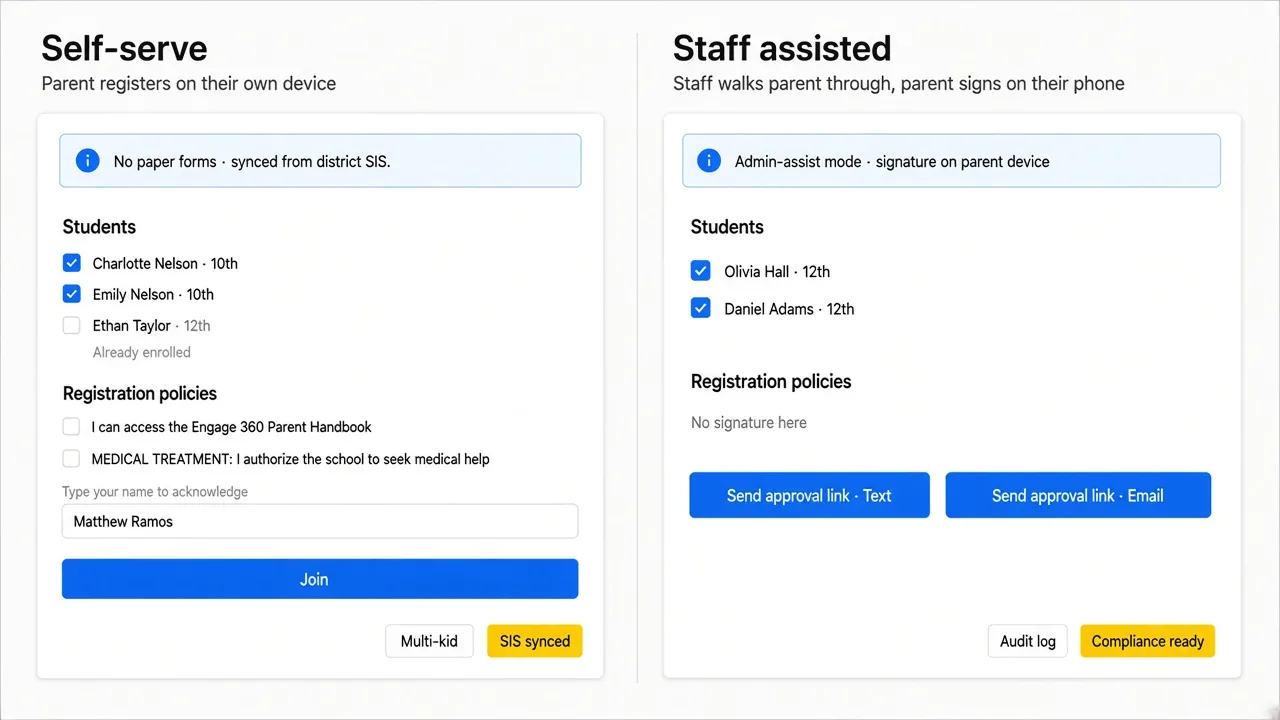
- 01
Register from a phone
Parents complete registration on their own, from their own device, in their preferred language.
- 02
Or get help from staff
With Assisted Registration, staff fill in the form with a family in person or over the phone, then send a time-limited link for the parent to review and sign before the conversation ends.
- 03
Review policies in the family’s language
Parents read district policies and acknowledgments in their own language, and staff can view the same content in that language to walk families through it and answer questions.
- 04
Keep consent with the parent
The parent reviews the acknowledgments and signs for themselves. Staff never sign on their behalf.
- 05
Keep the record together
Signature, timestamp, acknowledgments, language shown, program, and who entered what stay on one record.
- 06
Apply district rules
Each student lands in enrollment or the waitlist according to the district’s program and priority rules.
Behind the build
Why registration works for every family.
-
The usual way: Paper forms kept only for the signature.
How Attendly does it: Parents sign digitally, on their own device, with a timestamped record.
-
The usual way: Helping a family can mean another round of signature follow-up.
How Attendly does it: Staff can help fill the form; the parent still reviews and signs.
-
The usual way: Policies shown only in English, whether families understand them or not.
How Attendly does it: Parents and staff review policies in the family’s preferred language.
-
The usual way: Placement sorted out by hand afterward.
How Attendly does it: District priority rules place each student in enrollment or the waitlist on submission.
Designed with our partners
Registration was part of our core build with Santa Ana Unified School District. Assisted Registration was built with Romoland School District, and both are used today in live district programs.
“That was one of the only reasons we still had paper last year — just for those registration signatures. And now this will completely get rid of all the paper and make it all nice and clear cut and digital for audit purposes.”
Send me this
Email yourself a link to Flexible Registration & Family Enrollment, to read later or bring to your district.