
Native SIS Sync
From the field. Your SIS stays the system of record. Attendly reads from it with a read-only, one-way sync that runs multiple times a day, so nobody re-types, re-uploads or reconciles a roster. Live with Aeries, PowerSchool and Q (Aequitas). Synergy and Infinite Campus are ready to go. Using another SIS? Ask us.
Native SIS sync in Attendly Platform is a read-only, one-way sync that runs multiple times a day with Aeries, PowerSchool and Q (Aequitas). It is for IT and program staff who cannot re-type rosters. The SIS stays the system of record. Attendly never writes back.
 Attendly
Maya's record is current.
Nothing written back to your SIS.
The pain
Every program starts with data someone already entered once.
Students, school-day attendance, sites, and authorized contacts already live in your SIS. Without a direct connection, program staff export, re-key, and refresh it by hand, and every copy drifts further out of date.
How it works
Read-only sync. Your SIS stays in charge.
Native SIS sync
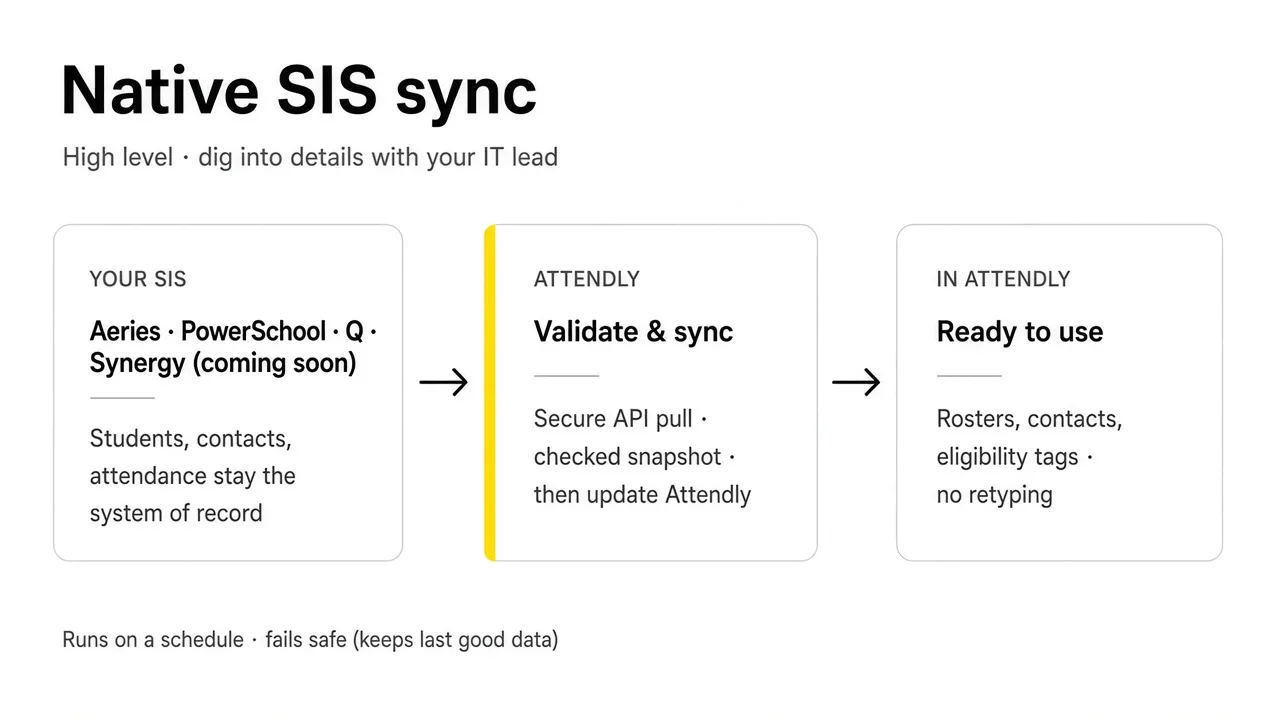
Runs on a schedule · keeps the last good data if a sync fails
Aeries, PowerSchool or Q. Students, contacts and attendance stay in the system of record.
Secure, read-only pull, multiple times a day. Checked, then applied.
Rosters, contacts and eligibility. No retyping.
Native SIS sync
- Your SIS
- Attendly
- Ready to use
- 01
Connect your SIS
A read-only, one-way connection to Aeries, PowerSchool or Q (Aequitas) that syncs multiple times a day. Synergy and Infinite Campus are ready to go.
- 02
Keep student records current
Students, school-day attendance, sites, authorized contacts and photos sync overnight. Aeries districts also get a 1 PM sync.
- 03
Use one student everywhere
Registration, attendance, meals, and Attendance Recovery all point back to the same student record.
- 04
Prepare the files
Attendly prepares the reporting files. Your team reviews and submits them.
Behind the build
Why a native, read-only sync matters.
-
The usual way: Spreadsheets exported, re-keyed, and refreshed by hand.
How Attendly does it: A read-only, one-way sync that runs multiple times a day keeps student records current.
-
The usual way: Submission files rebuilt every cycle.
How Attendly does it: Attendly prepares the files. Your district reviews and submits them.
Designed with our partners
For Aeries districts, a midday sync means changes made in Aeries that morning show up in Attendly the same afternoon.
Send me this
Email yourself a link to Native SIS Sync, to read later or bring to your district.